Showing posts with label Word. Show all posts

Friday, August 29, 2008

Some files can harm your computer. If the file information looks suspicious or you do not fully trust the source, do not open the file.
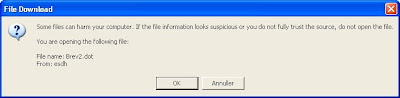
Creating new document based on SharePoint templates you often get the error:

Some files can harm your computer. If the file information looks suspicious or you do not fully trust the source, do not open the file.


SharePoint uses the ActiveXObject from the browser, SharePoint.OpenDocuments, and invokes the function CreateNewDocument (or CreateNewDocument2 in MOSS 2007) with the location of the template (http://...) and the default save location (set to the current folder).

This blog describes how to fix the issue.

However, this didn't change anything for me. Instead I checked out the htmltransinfo.xml file found in "c:\Program Files\Common Files\Microsoft Shared\web server extensions\12\TEMPLATE\XML". Notice HandlerUrl - and also notice that when opening Word documents directly from SharePoint these errors doesn't occur. Didn't change anything either.

Some claims running Office Diagnostics solves the issue - haven't got time to try out this model - yet!
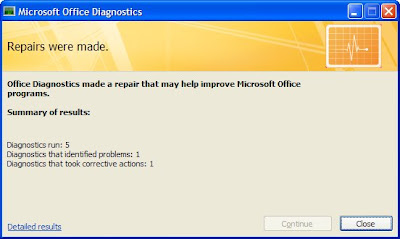
Tried it - no luck :-(

Saturday, August 02, 2008

Adding a contenttype to a list using Office

Today I learned that it's possible to add a content type to a list using Word. Facinating feature! It's even possible for users not allowed to administer the list to add a content type.

How is this done.


  • Open a Word dokument from another list with the content type you wish to use

  • Save the Word dokument to the new list

Voila - missing accomplished.

The way Office and SharePoint support this feature is through the ContentTypeId property found in Word as outlined below.

The contenttypeid is a guid: 0x01010E00B369AA1A2937544FB28BC321A473DF5A00BCFEABD7F057124C9046012A9BA89F62.

As SharePoint runs promote/demote document properties the content type id is added to the list. I wonder what happens when documents are sent between organisations - will probably be quite messy!


Friday, July 25, 2008

Word did not save the document

Suddenly we consistently got the error "Word did not save the document" trying to create or update document in SharePoint.


We tried to research the problem using Google but didn't really find an answer - something we found quite strange. Then we checked the SharePoint log-files found in
C:\Program Files\Common Files\Microsoft Shared\Web server extensions\12\Logs
and voila, we could locate the issue in the log-file, outlined below:
07/25/2008 11:20:13.31 w3wp.exe (0x1054) 0x1364 Windows SharePoint Services General 72ng Medium RPC method = put document 07/25/2008 11:20:13.31 w3wp.exe (0x1054) 0x1364 Windows SharePoint Services General 72n3 Medium put file doc URL = 07Docs/07-1521/New document.docx 07/25/2008 11:20:13.40 w3wp.exe (0x1054) 0x1364 Windows SharePoint Services Database 6f8g Unexpected Unexpected query execution failure, error code 9002. Additional error information from SQL Server is included below. "The transaction log for database 'INTRANET_Content' is full. To find out why space in the log cannot be reused, see the log_reuse_wait_desc column in sys.databases" Query text (if available): "DECLARE @@S uniqueidentifier; DECLARE @@DocId uniqueidentifier; DECLARE @@Level tinyint; DECLARE @@DocUIVersion int; DECLARE @@DoclibRowId int; DECLARE @@iRet int;DECLARE @DN nvarchar(256); DECLARE @LN nvarchar(128); DECLARE @FU nvarchar(260); SET @@Level=255 SET @@DocUIVersion =1 SET @@DocId='331203E1-CF23-4BE5-A306-B53A7F289DDF' SET @@S='9E4A9A77-CF3E-4881-9E6A-AADF9B17AB86'; EXEC @@DoclibRowId = proc_GenerateNextId 'D44ED427-5B4E-4AE0-AC38-BDDB2E54142E','2E51B790-B64E-43... 07/25/2008 11:20:13.40* w3wp.exe (0x1054) 0x1364 Windows SharePoint Services Database 6f8g Unexpected ...5F-A1F2-253C7ADCD4C4'; SET @DN=N'Sager/07Docs/07-1521'; SET @LN=N'New document.docx';BEGIN TRAN; EXEC @@iRet = proc_AddDocument '9E4A9A77-CF3E-4881-9E6A-AADF9B17AB86','D44ED427-5B4E-4AE0-AC38-BDDB2E54142E',1,NULL,@DN, @LN OUTPUT, @@Level, @@DocUIVersion, @@DocId,'2E51B790-B64E-435F-A1F2-253C7ADCD4C4',@@DoclibRowId,?,?,54317,1274,1,0,332,NULL,NULL,0,2097153,0,0,0,-2,NULL,0,NULL,NULL,NULL,NULL,NULL,? OUTPUT,0,?,? OUTPUT; SET @FU = dbo.fn_GetFullUrl(@DN, @LN); IF @@iRet <> 0 GOTO done; EXEC proc_DirtyDependents @@S,1,@FU;IF @DN IS NULL SET @DN=N'Sager/07Docs/07-1521'; IF @LN IS NULL SET @LN=N'New document.docx'; EXEC @@iRet =proc_AddListItem @WebId='D44ED427-5B4E-4AE0-AC38-BDDB2E54142E',@SiteId='9E4A9A77-CF3E-4881-9E6A-AADF9B17AB86',@ListID='2E51B790-B64E-435F-A1F2-253C7ADCD4C4',@ItemId=@@Do... 07/25/2008 11:20:13.40* w3wp.exe (0x1054) 0x1364 Windows SharePoint Services Database 6f8g Unexpected ...clibRowId,@UIVersion=@@DocUIVersion,@RowOrdinal=0,@DocIdAdded='331203E1-CF23-4BE5-A306-B53A7F289DDF',@Size=0,@ItemName=N'New document.docx',@ItemDirName=@DN OUTPUT,@ItemLeafName=@LN OUTPUT,@ItemDocType=0,@UserId=1,@Level=@@Level, @TimeNow='20080725 09:20:12', @tp_ContentTypeId = ?,@nvarchar1=?,@nvarchar2=?,@nvarchar3=?,@nvarchar7=?,@nvarchar14=?,@nvarchar15=?,@sql_variant1 = 0, @error_sql_variant1 = 3,@tp_ContentType=?,@tp_ModerationStatus=?,@acl=NULL; IF @@iRet<> 0 GOTO done; SELECT @@iRet, @@DoclibRowId; done: IF @@iRet=0 BEGIN COMMIT; EXEC proc_GetLinkInfoSingleDoc @@S,@DN,@LN,@@Level; END ELSE ROLLBACK; SET ?=@@iRet;"

Quite simple really - the log file was full and no disk space available.